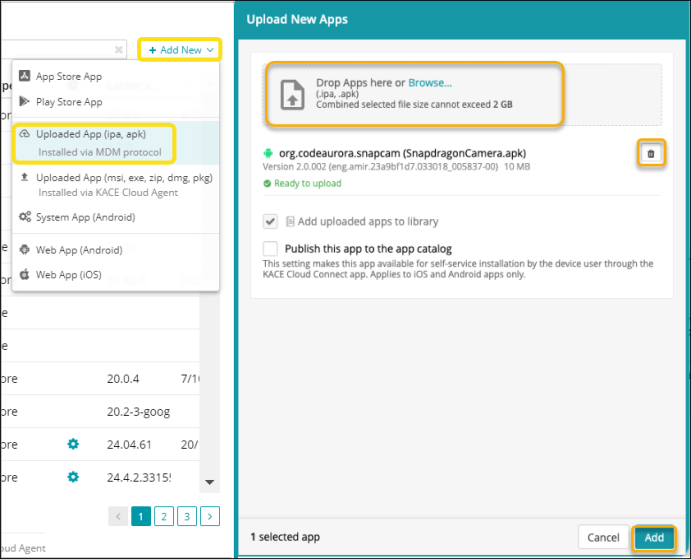
Upload IPA or APK app to the Apps Library
The process for uploading an IPA or APK file is pretty straightforward. Simply add the file to the Apps Library. These types of files are installed on managed KACE Cloud devices using the MDM protocol. Apps installed using this protocol do not support certain KACE Cloud features, such as patching. This is indicated by the KACE Cloud Agent icon in the Add New menu and also in the Apps Library after uploading the app.
Next, you can edit the app details, as needed.
- Go to the Libraries tab.
- Click the Apps icon.
- Choose Add New > Uploaded App (.ipa or .apk).
- Browse for app package files or drag and drop your file.
- Click Add.